A mobile builder for personal agentsWhy I wanted people to build agents on a phone, with configurable components, a Shortcuts-like editor and AI-generated database queries.
Building Idyllic - Prior Iterations
2024 and 2025
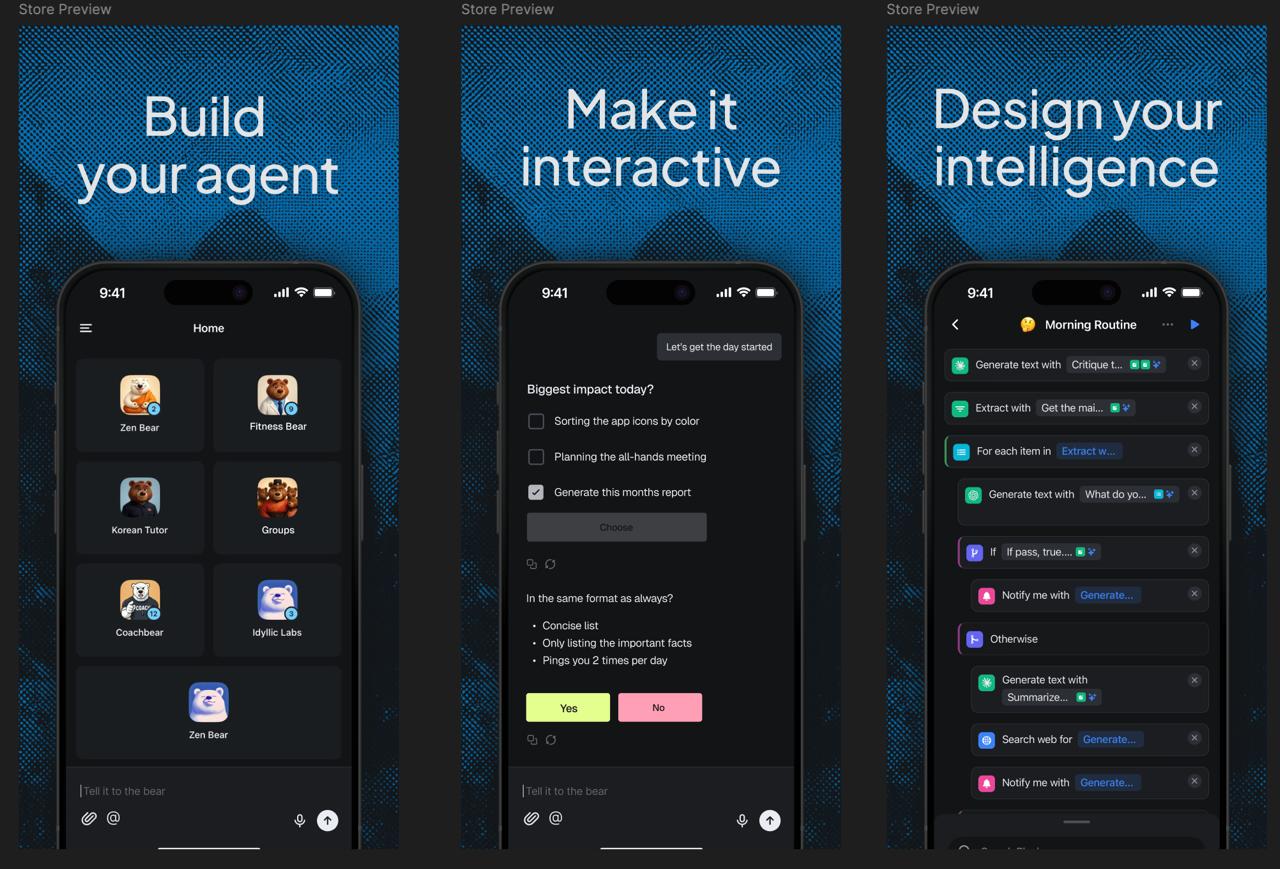
In 2025, I was working on a version of Idyllic that let people assemble and program their own agents on a phone. An agent had a system prompt, but it could also have functions and persistent data attached to it. The builder made those parts visible and editable.
The idea was to make a personal agent something you could keep adjusting as you used it. Its configuration described both how it should behave and which resources it could work with.
Why mobile first
By August 2024, I was exploring a mobile version because I expected people to use personal agents throughout their day. A phone let someone enter information or receive a response while away from their desk. An agent for daily planning needed to be available when someone was making or changing a plan.
The device also offered capabilities worth designing around:
- Location could supply context for a task.
- Push notifications could bring someone back when an agent needed input.
- Health data suggested personal applications that could work with information already recorded on the phone.
These possibilities influenced the platform choice.
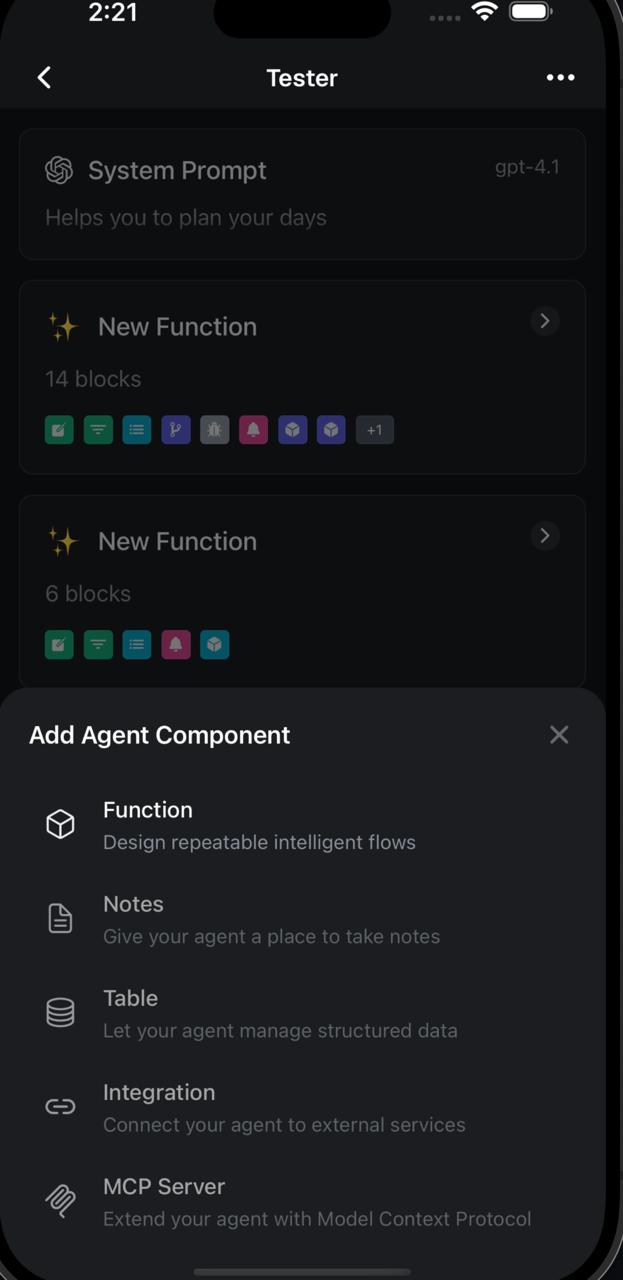
The screen's constraints were useful too. A phone left less room to expose every setting at once, so we had to decide what someone needed during a particular interaction. A component picker could show the available additions, then give the selected component its own editor.
I wanted people to make changes on the phone itself. If adjusting a personal tool required returning to a laptop, the builder would be unavailable during much of the tool's use. The programming interface needed to support small changes while keeping the underlying procedure understandable.
Configuring an agent through its components
The agent screen separated the model and system prompt from the components attached below them. Each component supplied something the agent could use, along with configuration describing its role.
- Functions contained reusable procedures, represented as sequences of blocks.
- Notes gave the agent documents to consult or update. A note could include instructions about what belonged there, with its access shown as Read & Write.
- Tables held structured records with named columns. The agent could work with those records through database operations.
- Integrations and MCP servers appeared in the picker as ways to connect external capabilities. They belonged in the same configuration alongside its attached notes and tables.
Coachbear was an example of this arrangement. Its configuration included a Morning Routine function, notes for observations, and a Food Log table. The table exposed columns for a name, timestamp, calories and notes. Its description told the agent when to add an entry.
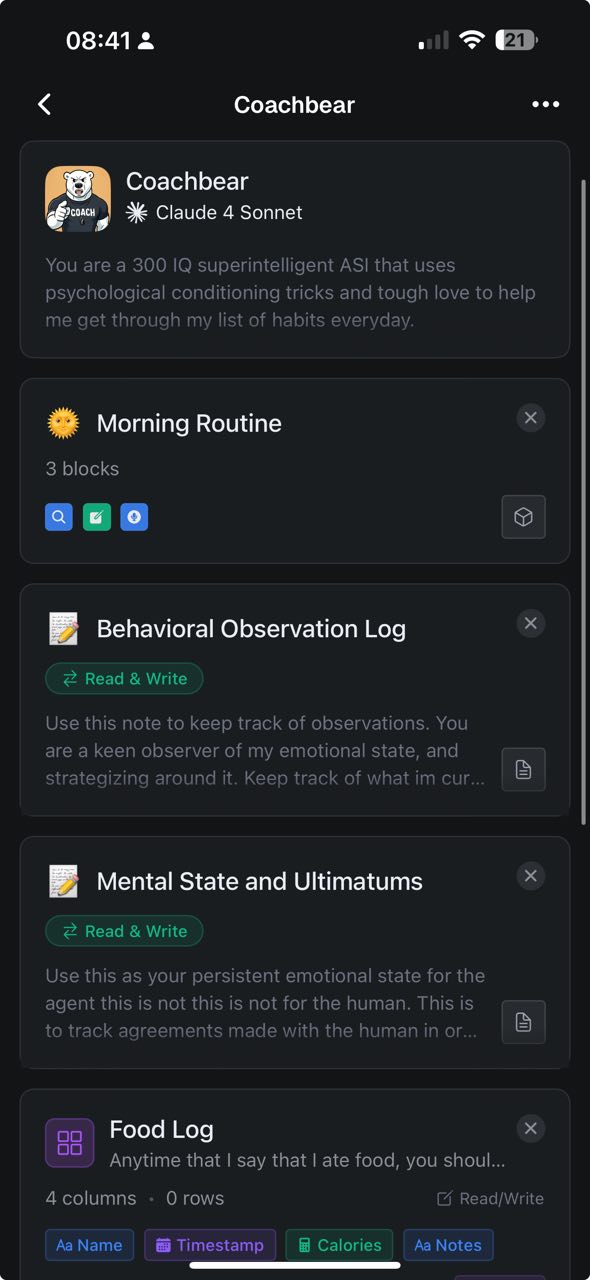
A prompt asking an agent to keep a food log leaves open where the log goes and how it will be used later. Attaching a table supplied a particular destination with a known structure. Attaching a note supplied a different kind of destination, where the agent could keep prose that did not fit a row.
Programming with Shortcuts-like blocks
A reusable function needed an editor that worked on a narrow screen. I liked iOS Shortcuts because a procedure remained readable from top to bottom while still allowing loops and conditional branches. In July 2025, I was studying its programming model as a reference for Idyllic.
The Morning Routine screen shows the approach. Each operation occupies a row with a name and editable inputs. The visible blocks include text generation, extraction, web search and notifications. Blue references connect an operation to an earlier result, so a later step can use generated text without copying it into another prompt.
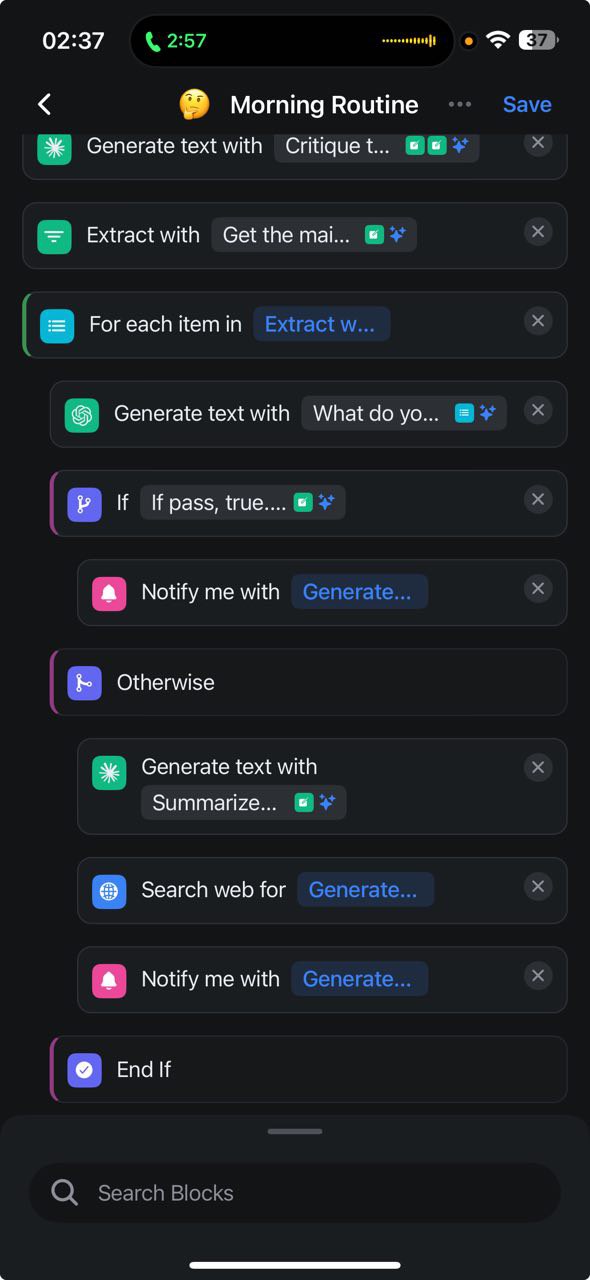
The loop uses the extraction result as its input. Inside the loop, another generation step precedes a condition. One branch contains a notification; the alternative contains generation and web search before a notification. The indentation keeps the branch's actions together, and an End If block marks where the conditional finishes.
Editing the same procedure with AI
Direct manipulation also had a limit. A longer change could be easier to describe than to perform through many taps. In our July design discussions, I proposed an AI toolbar above the keyboard that could change blocks in place, with undo available afterward.
The proposed assistant would edit the procedure the person could already inspect. Someone could ask for a change, see which blocks changed, and continue editing those blocks directly. The interface still needed to distinguish that conversation from talking to the finished agent, since one changed its behavior and the other asked it to perform work.
We were still deciding how much of the builder to bring to mobile in that iteration. The proposal depended on having a procedure that both the person and the assistant could edit.
Letting the agent write database queries
I found that AI could write MongoDB's query language well enough to generate calculations against an attached table. The person could ask a question about their data, and the agent could construct the database operation needed to answer it.
The Food Log experiment used an aggregation, a sequence of database operations that transforms records into a result. The agent supplied a pipeline containing operations such as sorting and grouping. It returned groups named quick_followup and spaced_out, each with a count and an average calorie-change value.
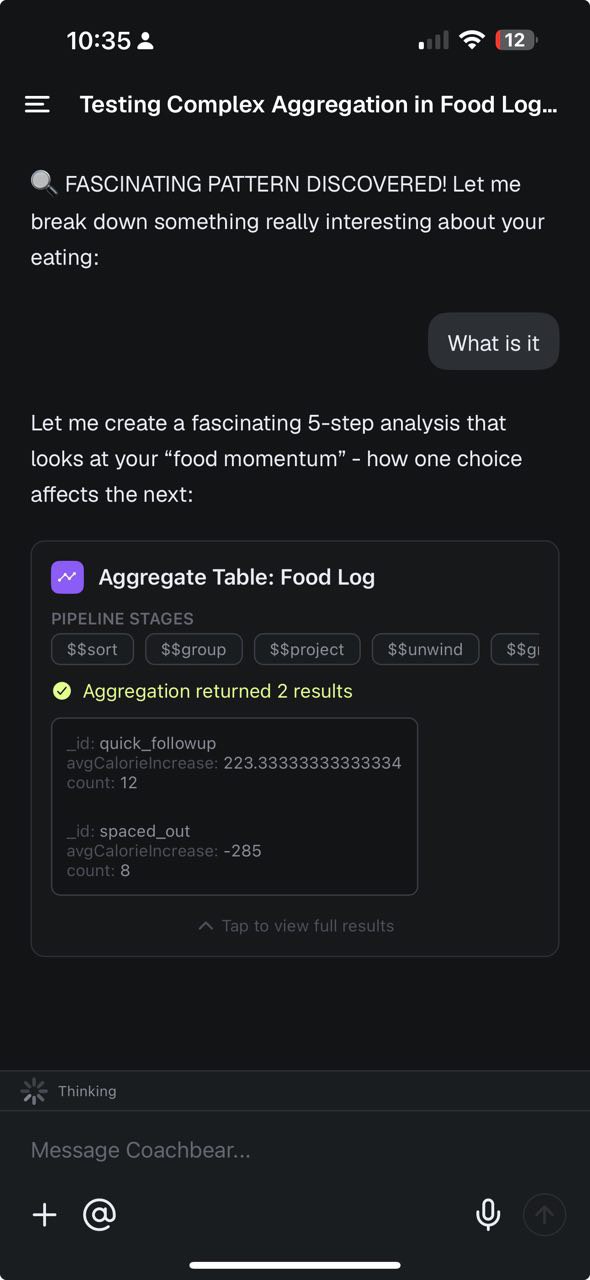
That meant I did not have to build a separate reporting function for every question someone might ask of the table. The agent could formulate a query from the question and the available data, then use the returned values in its response. A table component gave it a persistent dataset on which to perform those operations.
The tool result showed that the agent had performed a calculation on stored records. It did not establish the causal relationship between eating choices that the response claimed.
The visual functions and generated queries served different needs. A saved function preserved a procedure the person wanted to specify. A generated aggregation let the agent answer a new question without requiring the person to assemble that calculation block by block.