A visual builder for AI appsUsing an interview app to work out the builder's design.
Building Idyllic - Prior Iterations
November to December 2024
The Idyllic builder needed to connect an interface to the AI operations behind it. Clarity Bear supplied a specific problem. Its first page had a document editor and a button. Pressing the button needed to read the document, generate an outline, store that outline and open the interview page. The interview then needed the outline to prepare its questions.
I could write that behavior directly in application code. A visual builder needed to represent the same connections in a form a person could inspect and change. The challenge was deciding what the diagram had to describe so that changing it would change the running application.
Following a button click through the app
My UI-and-logic drawing puts the screens on one side and their operations on the other. The button in the braindump page starts the outline-generation flow. The interview has a different trigger: sending a message starts an evaluation of the conversation and the generation of another question. The result also changes the clarity indicator. The review page receives the final document.
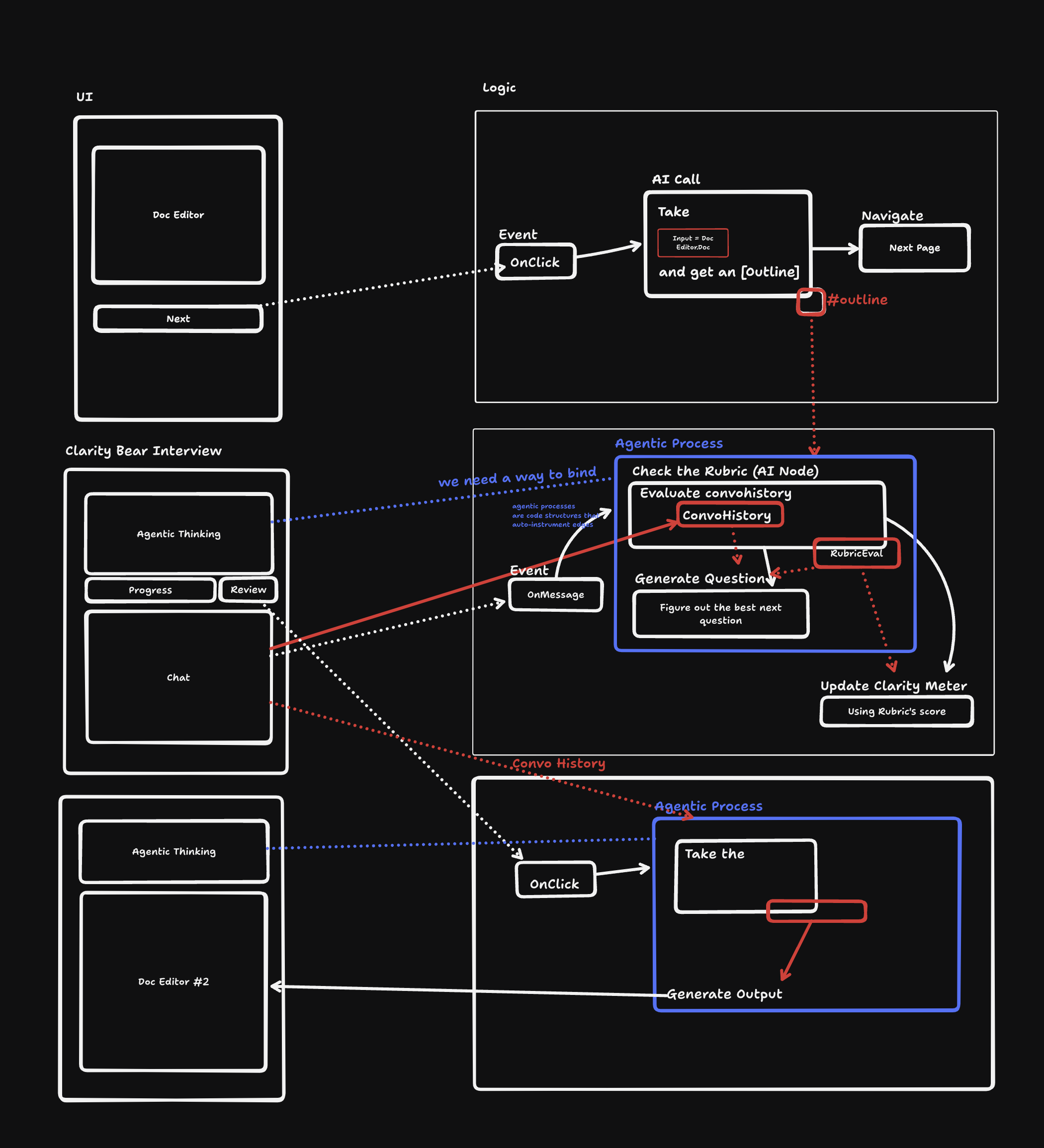
The initial button click is a useful case to follow. The AI operation needs the current contents of the editor. When the operation returns an outline, the app needs to keep it beyond the lifetime of that call. Navigation then changes the visible page, and the interview reads the stored outline. Each step has to agree about which value it is passing along.
A line from the button to the AI operation can say when generation begins. It does not, by itself, identify the document to read. A line from the AI operation to navigation can say which step comes next, but it does not tell the interview page where to find the result. The builder needed to describe both the order of actions and the movement of values.
Running the diagram
I built a parser that took React Flow nodes and edges and translated them into an abstract syntax tree, or AST. The AST was a structured description of the operations for an interpreter to execute. The editor handled the visible graph; the interpreter handled the meaning of its operations.
This separated two kinds of change. Moving a node on screen could change the diagram's layout without changing the program. Changing a node's properties or connections could change what the interpreter ran. The saved graph needed enough information to reconstruct that behavior independently of the editor's current display.
I got a rudimentary interpreter working, including navigation, buttons, string interpolation and string-based callbacks for chat messages. I also added a text element that could receive streaming output from an AI node. These were working parts of the builder; the complete Clarity Bear flow and dynamic editing still needed more work.
The editor capture shows the initial action sequence clearly: an entry point leads to an AI call, which leads to a state update and then navigation.
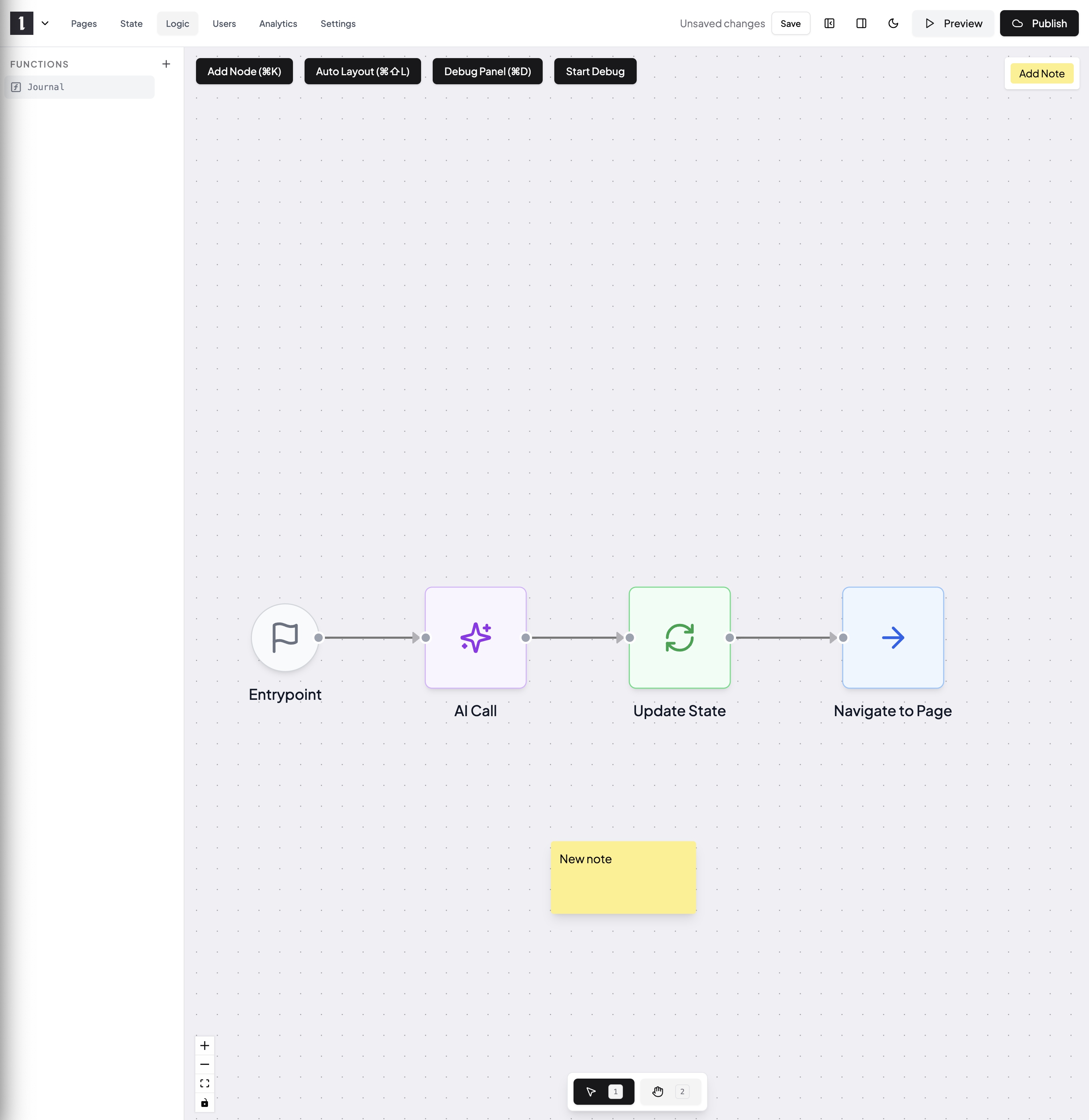
I was planning to move that graph toward data flow. In the Clarity Bear example, the AI result would have a visible relationship to the state field holding the outline, and the interview would have a visible relationship to that field. Expressions and type checking would help explain which values could be connected. The graph would then show more than a path through operations; it would help a person trace the information those operations used.
Streaming added another requirement. A text result could change many times while an operation was running, so state updates had to reach the appropriate part of the interface repeatedly. I encountered a race in those updates and fixed it by partitioning them by key. The display and its backing state needed to remain consistent during generation, as well as after the final value arrived.
Giving structured results useful controls
A builder also needs components suited to the results it creates. The early semantic-object experiments explored objects that combined data with relationships, methods and a renderer or editor.
A palette makes the idea tangible. The data contains colors, but a person works with a palette by looking at swatches and using controls. A musical pattern has a different representation and needs a way to play it. The prototype placed a palette, a small chart and a musical pattern inline, with interfaces fitted to those objects.
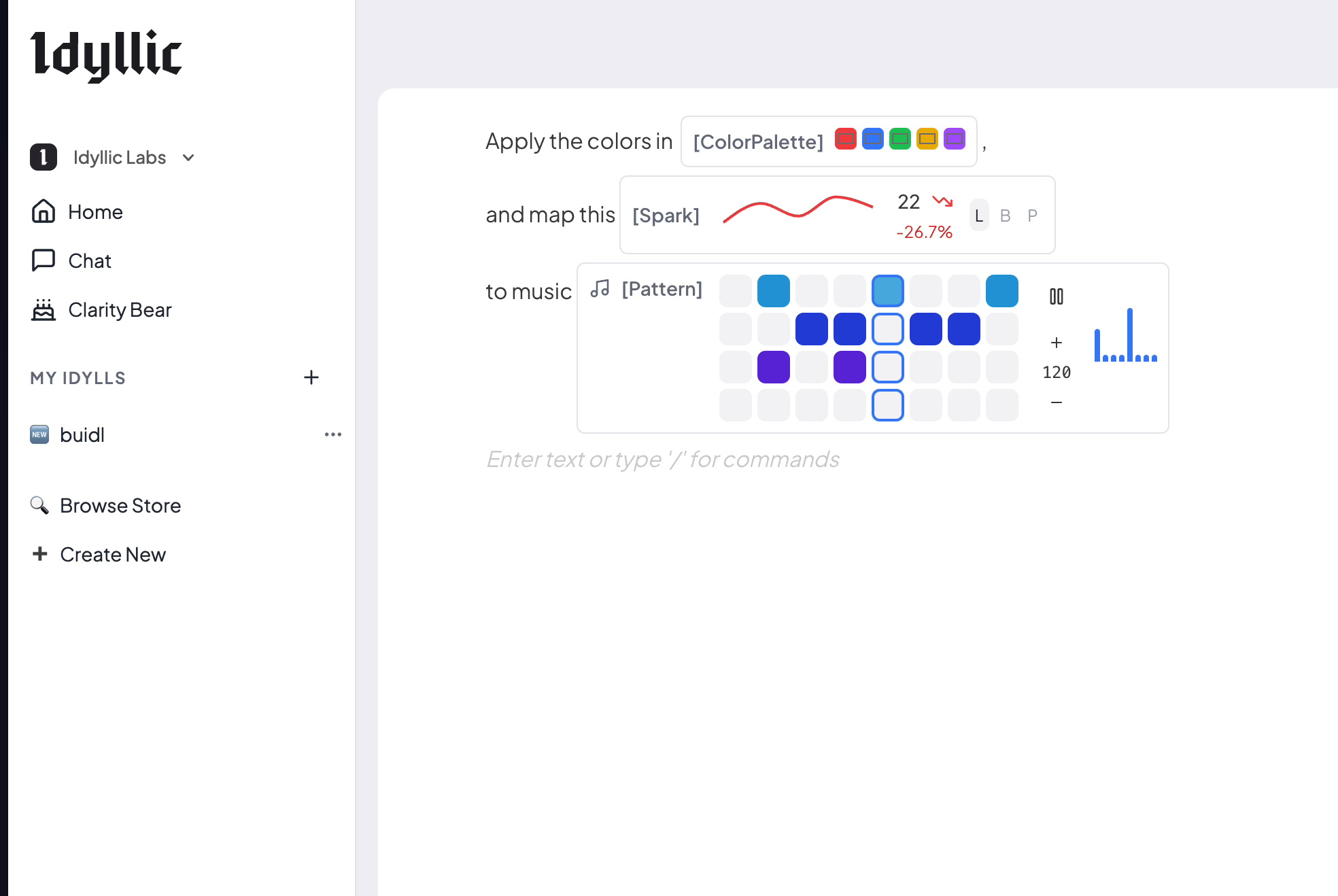
I was also proposing operations across more substantial objects: use a calendar and a task list to create a schedule, for example. The palette and music experiments gave me a smaller place to test how a typed result could appear and accept interaction. They did not yet supply the behavior of a scheduling app.
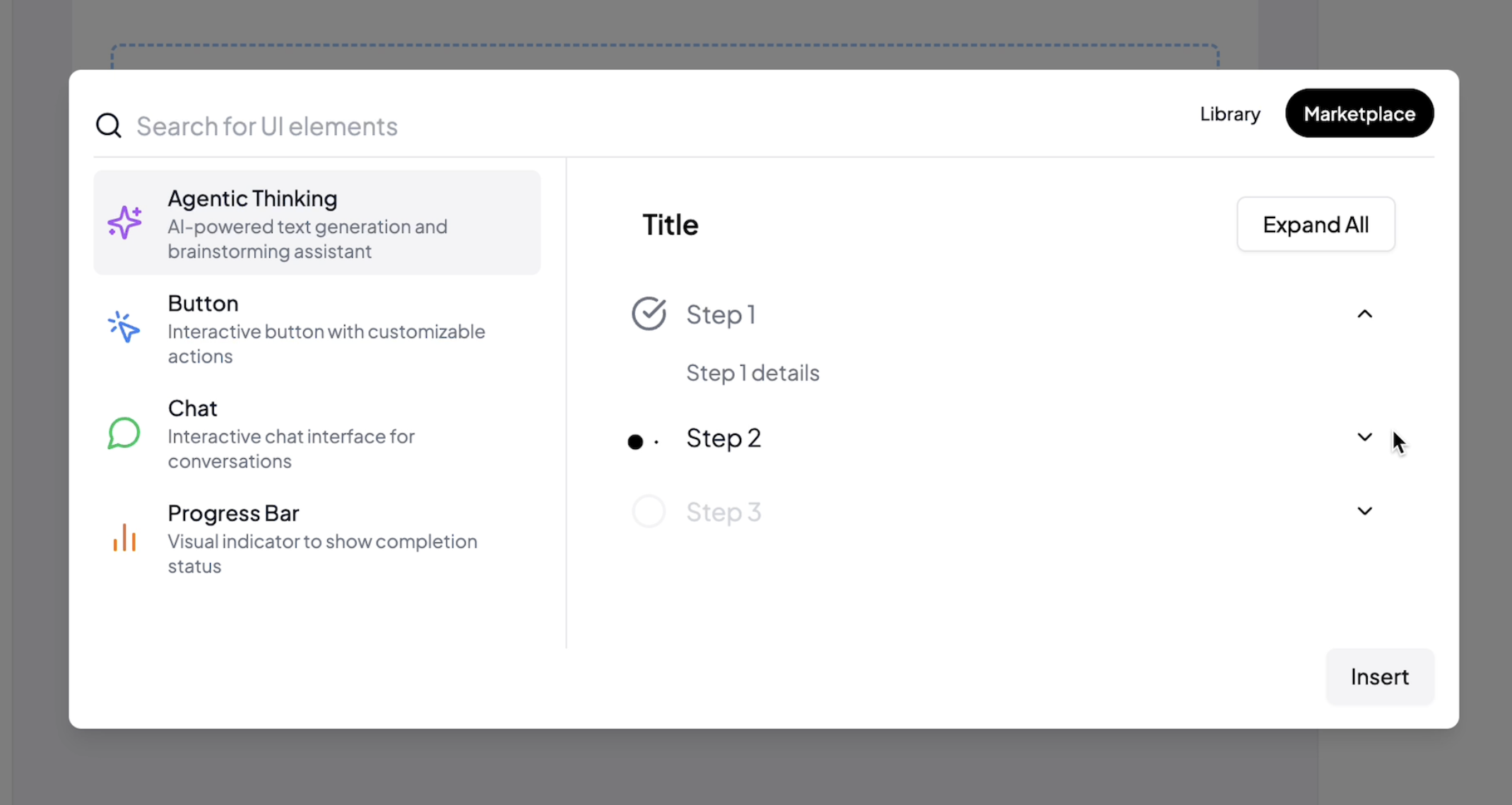
The component-library design addressed how those building blocks could be chosen. It included a button, chat, progress bar and agent activity display. A component needed editable properties and events that could connect to the runtime. Choosing a button from a library supplied its appearance and basic interaction; connecting its click event to a program supplied its job in that particular app.
Selecting context for an operation
As I used my own chat application, I began treating a project as a place that could contain context, state, an interface and logic together. The builder raised questions about how values reached an operation. Project memory raised a similar question about how relevant material reached a model call.
A model ultimately receives messages. I wanted to distinguish those messages from the material available to construct them. A project might contain several conversations, while a particular query needed only selected parts. A prompt template could arrange the selected material into messages, but choosing and transforming that material were operations of their own.
I began describing context in terms of actions such as selecting, remembering, forgetting, aggregating and transforming. The proposed interface for those actions was broader than the behavior I had working. The concrete implementation was a project memory mode that searched other chats in the same project and inserted retrieved material into a new query. I still needed to make that search more specific.
The builder's next job was to make these connections intelligible. For the Clarity Bear button, I needed to see which document entered the AI call, which state field received the outline and which page consumed it. For a question using project memory, I needed to see which material was selected and how it entered the messages. Each operation needed an explicit account of what it read and where it put its result.