A task list shared with an agentA planner prototype with live task cards in chat.
Building Idyllic - Prior Iterations
January-February 2025
I wanted to plan my day with an assistant and then use the plan as an ordinary task list. If I asked the assistant to add a task, it should appear in the planner. If I checked the task off myself, the assistant should find the updated status when it next read my tasks.
A checklist generated inside a chat response could show the plan at the time of the answer. Once I changed a task in the planner, that copy would be out of date. I wanted the chat card and the planner to read and change the same stored tasks.
Building the planner around task records
Julius designed expandable task cards with subtasks and categories. The hierarchy let a larger activity stay compact until I needed its details. A checkbox let me change a task's status directly, without writing a message asking the assistant to mark it complete.
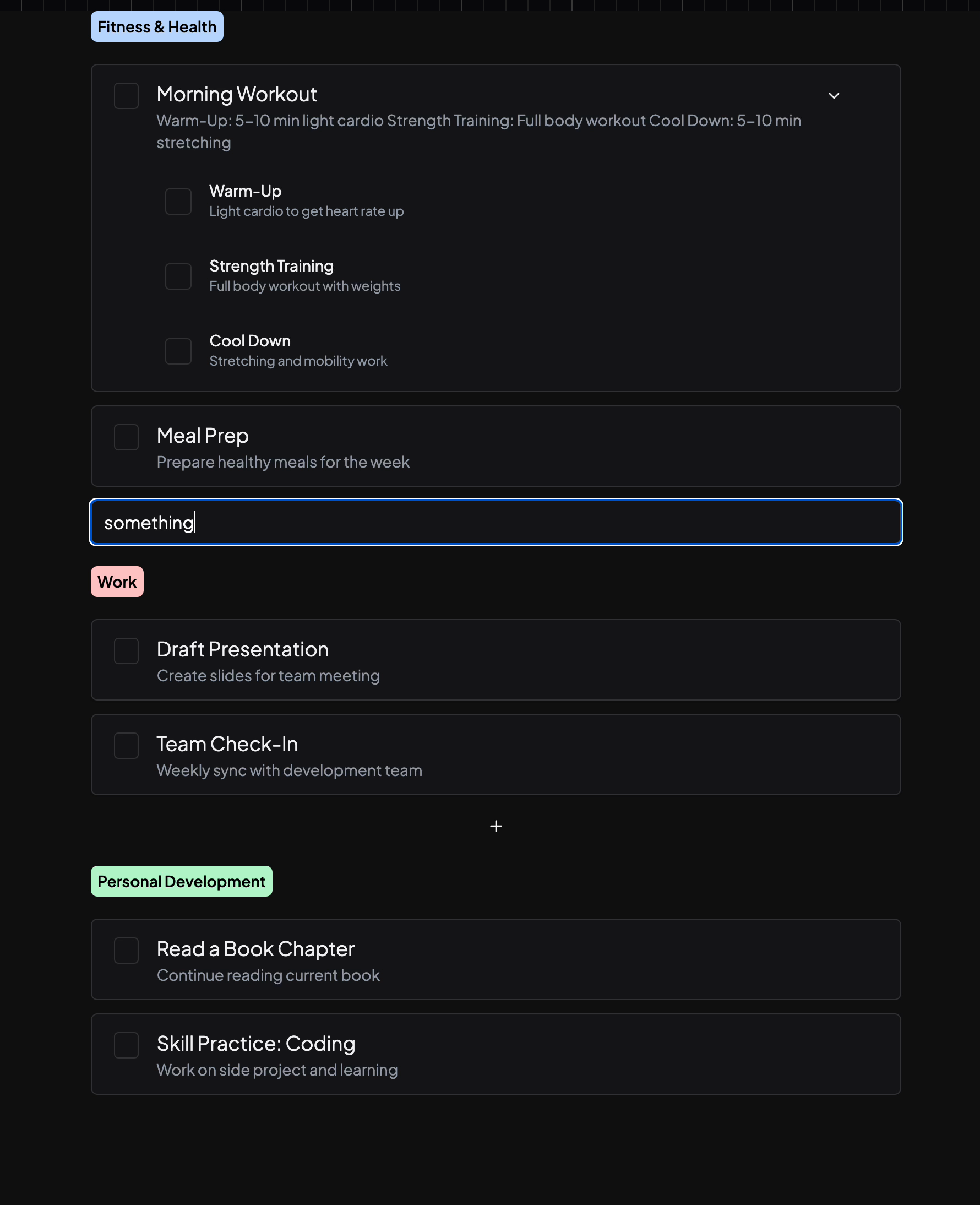
I implemented Julius's components in Storybook first. Sample tasks let me work on their appearance and interaction before connecting them to the database. Once those components worked, I assembled the planner pages and connected their state to Convex. The component test in the figure comes from the earlier step.
The page structure followed the task hierarchy: a day view, a task detail view and a subtask detail view. The selected date also needed to be available to the chat. If I was viewing a different day, the assistant needed that context to interpret a request about the plan on screen.
I put that application-specific behavior in a registry. The planner registered the components it could display in chat and a context provider that supplied the selected date. The main chat interface could use those registrations when it was running inside the planner, rather than carrying planner-specific logic throughout its own code.
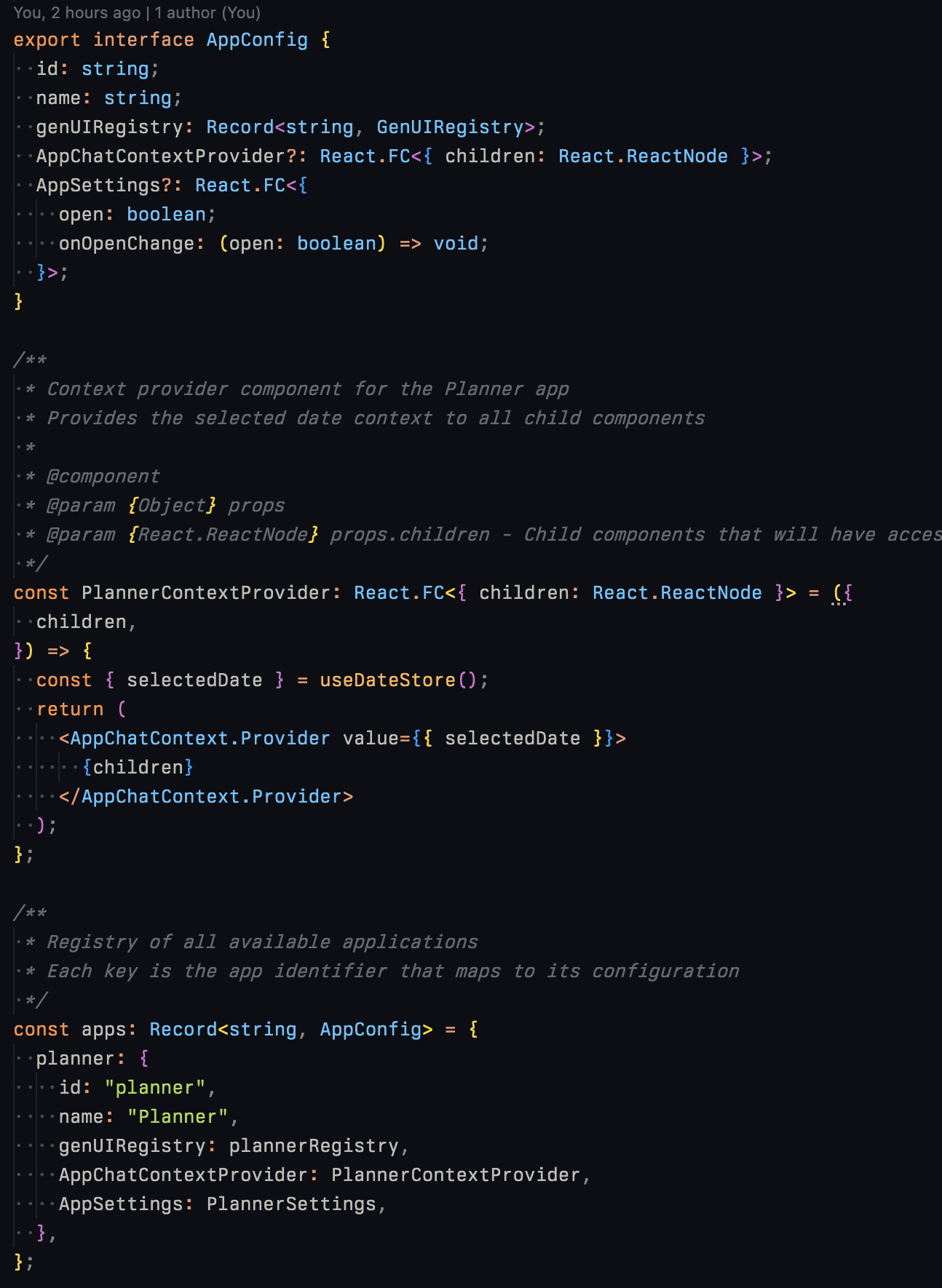
Attaching a task card to a tool result
Julius also proposed using AI in the add-task interaction. I implemented it alongside the planner and then worked out how a tool call could produce a useful interface inside the response.
A tool call lets the model ask application code to perform an operation. The code can add or read tasks and return a result to the model. I extended that result with an optional genUI field describing a component to display. The backend checked tool results for the field and added those descriptions to the chat response. The frontend then used the app's registry to choose and render the component.
I had first tried describing the interface through structured model output, but that did not fit the tool-calling setup I had in place. Attaching the description to the tool result put it beside the operation that had produced the data. A tool that worked with tasks could return both information for the model and a task interface for the person.
The component could bind to data in three useful ways. A static card could receive a snapshot and display it. A live card could receive an ID and query the corresponding record in Convex. An interactive card could use that query and also call a mutation to change the record. The last two bindings allowed a card inside an old message to display current application data.
Checking a task off after the answer ends
Consider an illustrative request to add “Prepare the meeting notes” to a day. The application stores the task, and the response displays a task card that queries it by ID. The planner reads the same task. Both views can therefore display the stored title and completion status.
When I tick the card's checkbox, the component sends a mutation for that task to Convex. The database changes the record, and views subscribed to that record receive the updated status. The planner can show the task as complete even though I clicked inside the conversation. Opening the task elsewhere does not create another completion state to keep in sync.
The model does not have to remain active for that interaction. It has already finished its response, while the component continues to run as part of the application. The next time the assistant needs the task's status, its tools can read the updated record. A live interface does not automatically put every database change into the model's conversation history; the assistant still needs to retrieve the state relevant to its next action.
This also clarifies when a snapshot is useful. An answer might need to preserve what a plan looked like when it was made. A task control that I intend to keep using needs a live binding instead. They can look similar while having different behavior, so the component description needs to determine which one the application is rendering.
One request could also require several tool calls. If each call returned the same task interface, the final answer could contain duplicate controls. I added deduplication while tuning the implementation. The application needed to decide which cards belonged in the answer after the tools had finished, rather than display one card for every backend operation.
Giving other objects an identity
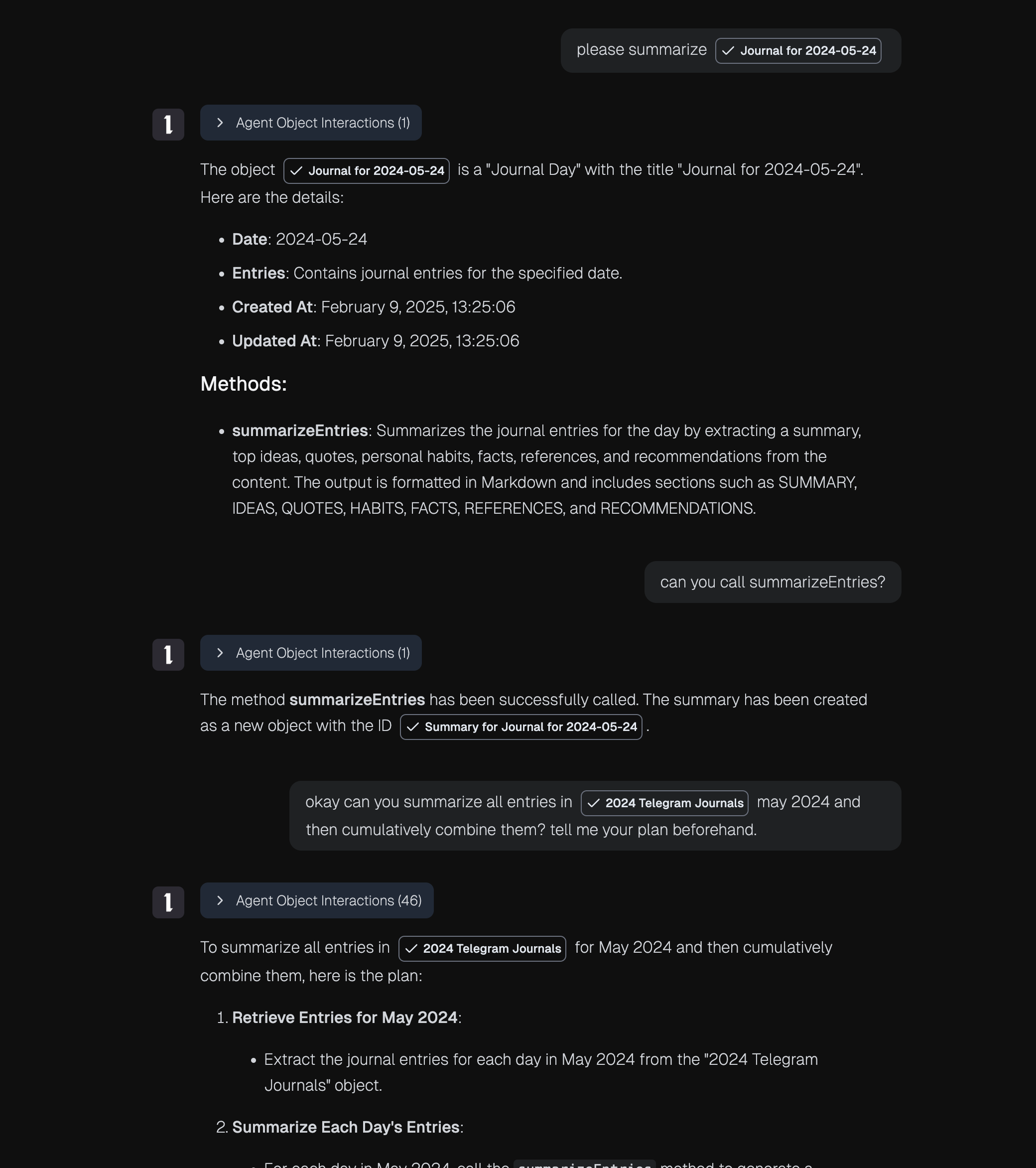
The object-method prototype extended the idea beyond tasks. An object exposed named methods that the agent could invoke with arguments. The runtime could load objects dynamically, let methods change their data and let one object refer to another.
In the example below, the agent invokes a journal collection's summary method. The method creates a summary object, and the tool result identifies that object. A later operation can address the summary by its reference instead of requiring the agent to copy the text of an earlier answer into a new request.
I describe the collection operations in more detail in Semantic objects: giving models handles instead of data. The planner explored how a person would work with an object from the interface. A task's ID lets application code locate its record. The registered component supplies the checkbox and other controls that make the record usable on screen.